8/10 — 🚩 Red Flag #7: Poor Campaign Velocity Speed is now a growth advantage. Teams that ship faster: • Learn faster • Optimize faster • Win pipeline faster
Leaks say OpenAI is building IO: a screenless, pen-shaped, wearable AI agent you can carry or wear on a strap. Mic + camera for context, and it can turn handwritten notes into text and sync straight into ChatGPT.
OpenAI’s io: The Promise—and Peril—of an Ambient AI Agent
What happens when artificial intelligence slips out of the screen and into your pocket, your conversations, your life?
According to a growing trail of leaks, reports, and industry whispers, OpenAI’s mysterious hardware project—often referred to simply as “io”—is attempting exactly that. If the vision holds, io could mark a pivotal moment in computing: not another screen to stare into, but an ambient AI presence that listens, observes, remembers, and assists quietly in the background.
Yet history is littered with ambitious AI hardware experiments that promised the future and delivered discomfort, distrust, or irrelevance. The question is not whether io is bold—it undeniably is—but whether it can succeed where others have stumbled.
The Big Idea: AI Without a Screen
At its core, io is OpenAI’s bet on ambient computing—a long-theorized paradigm in which technology fades into the environment instead of demanding constant attention. Think of AI not as an app you open, but as a companion that’s simply there.
Developed in collaboration with legendary designer Jony Ive, following OpenAI’s reported $6.5 billion acquisition of his startup “io” in mid-2025, the device is described as:
Screenless
Pen-shaped
Pocket-sized
Always available, but not always intrusive
It can reportedly be slipped into a pocket, placed on a desk, or worn on a neck strap—positioned somewhere between a gadget and a wearable, but intentionally avoiding the social awkwardness of smart glasses or lapel pins.
OpenAI CEO Sam Altman has publicly hyped the concept as a “third core device”, alongside smartphones and laptops. Internally, ambitions are even grander: shipping 100 million units faster than any consumer product in history, potentially adding $1 trillion in value to OpenAI.
That is not incremental thinking. That is moonshot logic.
Design Philosophy: Jony Ive’s Quiet Minimalism
Physically, io is said to be roughly the size of an old iPod Shuffle—a deliberate nod to unobtrusive elegance. No screen. No flashy indicators. No attempt to compete visually with the smartphone.
This is classic Ive: design that recedes rather than shouts.
By avoiding fixed body placement, io attempts to solve one of the biggest failures of recent AI hardware. The Humane AI Pin, for instance, was criticized for being socially uncomfortable, ergonomically awkward, and visually distracting. io aims to be flexible—there when needed, invisible when not.
If Apple’s design ethos was “technology as jewelry,” io is closer to technology as air.
Key Features and Capabilities (As Reported)
1. Ambient Sensing
Built-in microphones and cameras give io contextual awareness—allowing it to hear conversations, recognize objects or environments, and respond proactively rather than reactively.
In theory, this enables:
Automatic transcription
Context-aware reminders
Scene or object recognition
Conversational summaries
In practice, it raises immediate privacy questions (more on that later).
2. Handwritten Notes → AI Memory
One standout feature is real-time conversion of handwritten notes into editable digital text. A scribble on paper, a whiteboard sketch, or a meeting note can be captured and sent directly to ChatGPT for:
Summarization
Organization
Follow-up actions
Long-term memory
For journalists, executives, students, and creators, this could be transformative—turning analog thought into structured intelligence effortlessly.
3. Voice-First AI Interaction
Unlike phones, which force users into visual interfaces, io is designed to be voice-native. Advances in OpenAI’s low-latency audio models make natural, conversational interaction plausible—less “Hey Siri,” more human dialogue.
Heavy computation is offloaded to smartphones or cloud infrastructure, keeping the device light and power-efficient.
4. Battery Life and Portability
Early prototypes reportedly target multi-day to week-long battery life, leaning heavily on cloud processing to reduce onboard compute needs.
If achieved, this would be a major differentiator in a category plagued by short battery spans.
Why io Could Actually Matter
1. Escaping the Tyranny of Screens
We live in a world of glowing rectangles—phones, laptops, tablets, watches. io challenges that norm by suggesting AI doesn’t need a screen to be useful.
For professionals, creatives, and students fatigued by constant digital distraction, an ambient assistant could feel liberating—AI that works with you, not at you.
2. Practical, Not Performative, Use Cases
Many AI devices failed because they answered a question nobody asked. io at least targets real pain points:
Capturing fleeting ideas
Remembering conversations
Organizing unstructured thoughts
Reducing friction between offline life and digital systems
If it does nothing else but make memory frictionless, it could earn its place.
3. Backend Power Matters
Unlike the Rabbit R1 or similar devices that struggled with shallow functionality, io plugs directly into OpenAI’s vast AI infrastructure. That backend advantage cannot be overstated.
AI hardware without serious AI behind it is just plastic.
4. Price and Scale
Rumors suggest a sub-$200 price point. If true, and if OpenAI subsidizes hardware to grow ecosystem lock-in, mass adoption becomes plausible—especially given Altman’s stated goal of shipping at unprecedented scale.
The Dark Clouds: Why Skepticism Is Justified
1. Privacy: The Original Sin
An always-on microphone and camera is not a neutral design choice—it is a social and ethical grenade.
Without:
Clear physical indicators (lights, shutters)
Granular user controls
Strong on-device processing
End-to-end encryption
…io risks being perceived as a surveillance device, not a companion.
Previous AI hardware scandals—including data exposure incidents with other devices—have primed users to distrust “trust us” promises. Even Altman’s claim that OpenAI treats user data as “maximally sensitive” may not be enough.
Trust, once lost, does not reboot easily.
2. Technical Reality vs. Vision
Real-time multimodal AI is computationally expensive and error-prone. Challenges include:
Hallucinations
Latency
Speaker differentiation
Noisy environments
Poor connectivity scenarios
An ambient assistant that gets things almost right may be more frustrating than one that does nothing at all.
3. The Graveyard of AI Gadgets
The road to io is paved with tombstones:
Humane AI Pin
Friend pendant
Rabbit R1
Each promised a new paradigm. Each underestimated human psychology, privacy anxiety, or the simple question: Why not just use my phone?
Screenless design is elegant—but it also removes feedback, reassurance, and control. Many users want to see what their device is doing.
4. Cultural Resistance
Not everyone wants an AI shadow. Online reactions already show concerns about:
Surveillance
Accessibility
Redundancy
Emotional discomfort
The idea of an AI that listens constantly may be philosophically exciting—and viscerally unsettling.
Manufacturing, Timing, and Geopolitics
The expected launch window—late 2026 or early 2027—puts io under immense execution pressure. Manufacturing is reportedly planned outside China, with partners like Foxconn, to mitigate geopolitical risks.
Delays, supply chain hiccups, or unfinished software could easily push timelines back—dangerous in a hype-driven market.
Final Verdict: Revolution or High-Risk Experiment?
io is not foolish. It is not trivial. And it is certainly not boring.
It represents OpenAI’s attempt to answer a profound question: What does AI look like when it stops asking for attention?
If OpenAI nails:
Privacy safeguards
Battery life
Trustworthy behavior
One or two genuinely indispensable use cases
…io could mark a genuine shift toward ambient intelligence.
But the odds are unforgiving.
This is a market with little patience, deep skepticism, and a long memory of failures. The line between “invisible assistant” and “creepy observer” is razor-thin.
For now, io feels less like the next iPhone—and more like a bold, necessary experiment that may shape the future even if it doesn’t dominate it.
Rating: 6/10 High vision. High risk. Real potential. Serious hurdles.
If you’re privacy-conscious or skeptical of always-on AI, your doubts are rational. For everyone else, io is worth watching—not because it’s guaranteed to succeed, but because it dares to ask what comes after the screen.
OpenAI का io: एम्बिएंट AI एजेंट का वादा — और उसका जोखिम
जब कृत्रिम बुद्धिमत्ता स्क्रीन से बाहर निकलकर आपकी जेब, आपकी बातचीत और आपके जीवन में प्रवेश करती है—तो क्या होता है?
हालिया लीक, रिपोर्टों और उद्योग जगत की फुसफुसाहटों के अनुसार, OpenAI की रहस्यमयी हार्डवेयर परियोजना—जिसे प्रायः सिर्फ “io” कहा जा रहा है—ठीक यही करने का प्रयास कर रही है। यदि यह दृष्टि साकार होती है, तो io कंप्यूटिंग के इतिहास में एक निर्णायक मोड़ बन सकता है: कोई और स्क्रीन नहीं, बल्कि एक ऐसा एम्बिएंट AI जो चुपचाप सुनता है, देखता है, याद रखता है और पृष्ठभूमि में सहायता करता है।
लेकिन इतिहास उन AI हार्डवेयर प्रयोगों से भरा पड़ा है जिन्होंने भविष्य का वादा किया—और बदले में असहजता, अविश्वास या निरर्थकता दी। सवाल यह नहीं है कि io साहसी है या नहीं—वह निस्संदेह है—बल्कि यह है कि क्या वह वहाँ सफल हो सकता है जहाँ अन्य असफल हुए।
बड़ा विचार: बिना स्क्रीन के AI
अपने मूल में, io OpenAI की एम्बिएंट कंप्यूटिंग पर लगाई गई बाज़ी है—एक ऐसा विचार जिसमें तकनीक ध्यान खींचने के बजाय वातावरण में घुल जाती है। AI कोई ऐप नहीं जिसे आप खोलें, बल्कि एक ऐसा साथी जो बस मौजूद रहता है।
किंवदंती डिजाइनर जॉनी आइव के साथ मिलकर विकसित यह डिवाइस—जिसकी पृष्ठभूमि में 2025 के मध्य में OpenAI द्वारा उनकी स्टार्टअप “io” का कथित 6.5 अरब डॉलर का अधिग्रहण बताया जाता है—इन विशेषताओं के साथ वर्णित किया गया है:
स्क्रीन-रहित
पेन के आकार का
जेब में रखने योग्य
हमेशा उपलब्ध, लेकिन हमेशा दखल देने वाला नहीं
इसे जेब में रखा जा सकता है, डेस्क पर रखा जा सकता है, या गले में लटकाया जा सकता है—यह न पूरी तरह गैजेट है, न ही पारंपरिक पहनने योग्य डिवाइस।
OpenAI के CEO सैम ऑल्टमैन इसे स्मार्टफोन और लैपटॉप के साथ एक “तीसरा मुख्य डिवाइस” बता चुके हैं। आंतरिक स्तर पर महत्वाकांक्षा और भी बड़ी है: इतिहास में किसी भी उत्पाद से तेज़ी से 100 मिलियन यूनिट भेजने का लक्ष्य, जिससे कंपनी के मूल्य में 1 ट्रिलियन डॉलर तक का इज़ाफ़ा हो सकता है।
यह क्रमिक सोच नहीं है—यह चंद्रमा पर निशाना लगाने जैसा साहस है।
डिजाइन दर्शन: जॉनी आइव की मौन न्यूनतावाद
भौतिक रूप से, io का आकार पुराने iPod Shuffle जैसा बताया जाता है—जानबूझकर चुनी गई सादगी। कोई स्क्रीन नहीं। कोई चमकदार डिस्प्ले नहीं। स्मार्टफोन से दृश्य प्रतिस्पर्धा करने का कोई प्रयास नहीं।
यह शुद्ध आइव दर्शन है: ऐसी डिजाइन जो चिल्लाती नहीं, बल्कि पीछे हट जाती है।
स्थायी रूप से शरीर से जुड़े उपकरणों से बचकर, io हालिया AI हार्डवेयर की सबसे बड़ी असफलता को संबोधित करता है। Humane AI Pin को सामाजिक रूप से असहज और उपयोग में अटपटा कहा गया। io लचीलापन चाहता है—ज़रूरत पड़ने पर मौजूद, अन्यथा अदृश्य।
अगर Apple की डिजाइन “तकनीक को आभूषण” बनाती थी, तो ioतकनीक को हवा बनाना चाहता है।
प्रमुख फीचर्स और क्षमताएँ (रिपोर्ट्स के अनुसार)
1. एम्बिएंट सेंसिंग
इनबिल्ट माइक्रोफोन और कैमरे io को संदर्भ समझने की क्षमता देते हैं—बातचीत सुनना, वस्तुओं या वातावरण को पहचानना, और बिना पूछे सुझाव देना।
सिद्धांत रूप में यह सक्षम करता है:
स्वचालित ट्रांसक्रिप्शन
संदर्भ-आधारित रिमाइंडर
दृश्य पहचान
बातचीत का सारांश
व्यवहार में, यह तुरंत गोपनीयता के प्रश्न खड़े करता है।
2. हस्तलिखित नोट्स → AI मेमोरी
एक प्रमुख फीचर है हस्तलिखित नोट्स को रीयल-टाइम में डिजिटल टेक्स्ट में बदलना। कागज़ पर लिखा विचार, व्हाइटबोर्ड स्केच या मीटिंग नोट सीधे ChatGPT को भेजे जा सकते हैं:
सारांश
संगठन
फ़ॉलो-अप कार्य
दीर्घकालिक स्मृति
पत्रकारों, अधिकारियों, छात्रों और रचनाकारों के लिए यह एनालॉग सोच को संरचित बुद्धिमत्ता में बदल सकता है।
3. वॉइस-फर्स्ट AI इंटरैक्शन
फोन जहाँ दृश्य इंटरफ़ेस थोपते हैं, वहीं io को आवाज़-आधारित बनाया गया है। OpenAI के लो-लेटेंसी ऑडियो मॉडल प्राकृतिक बातचीत को संभव बनाते हैं—कम “Hey Siri”, ज़्यादा मानवीय संवाद।
भारी गणना स्मार्टफोन या क्लाउड पर भेजी जाती है, जिससे डिवाइस हल्का और ऊर्जा-कुशल रहता है।
4. बैटरी और पोर्टेबिलिटी
प्रारंभिक प्रोटोटाइप्स में कई दिनों से लेकर एक सप्ताह तक की बैटरी लाइफ का लक्ष्य बताया गया है, जो क्लाउड प्रोसेसिंग पर निर्भर करता है।
यदि यह हासिल हुआ, तो यह श्रेणी में बड़ा अंतर पैदा करेगा।
io क्यों महत्वपूर्ण हो सकता है
1. स्क्रीन के अत्याचार से मुक्ति
हम चमकती स्क्रीन के युग में जी रहे हैं। io यह प्रश्न उठाता है कि क्या AI उपयोगी होने के लिए स्क्रीन पर निर्भर होना ज़रूरी है?
डिजिटल थकान से जूझ रहे पेशेवरों और छात्रों के लिए, यह मुक्ति जैसा महसूस हो सकता है।
2. दिखावे से ज़्यादा उपयोगिता
कई AI डिवाइस इसलिए असफल हुए क्योंकि वे किसी वास्तविक समस्या को हल नहीं करते थे। io कम से कम इन दर्द बिंदुओं को छूता है:
क्षणिक विचारों को पकड़ना
बातचीत को याद रखना
असंरचित जानकारी को व्यवस्थित करना
अगर यह सिर्फ याददाश्त को सहज बना दे, तो भी इसका स्थान बन सकता है।
3. बैकएंड शक्ति का महत्व
Rabbit R1 जैसे उपकरणों के विपरीत, io सीधे OpenAI के शक्तिशाली AI इन्फ्रास्ट्रक्चर से जुड़ा है। यह बढ़त निर्णायक है।
मज़बूत AI के बिना हार्डवेयर सिर्फ प्लास्टिक होता है।
4. कीमत और पैमाना
अगर $200 से कम कीमत की अफवाह सही निकली, और OpenAI हार्डवेयर को सब्सिडाइज़ करे, तो बड़े पैमाने पर अपनाने की संभावना बनती है।
जोखिम और चुनौतियाँ
1. गोपनीयता: मूल पाप
हमेशा चालू माइक्रोफोन और कैमरा—यह सिर्फ तकनीकी नहीं, बल्कि सामाजिक और नैतिक मुद्दा है।
स्पष्ट संकेतकों, मजबूत एन्क्रिप्शन और यूज़र नियंत्रण के बिना, io एक सहायक से अधिक निगरानी उपकरण लग सकता है।
2. तकनीकी यथार्थ
रीयल-टाइम मल्टीमोडल AI भारी गणना मांगता है:
हैलुसिनेशन
विलंब
शोरगुल वाले माहौल
कमजोर कनेक्टिविटी
लगभग सही AI, पूरी तरह गलत AI से ज़्यादा परेशान कर सकता है।
3. असफलताओं का कब्रिस्तान
Humane AI Pin, Friend pendant, Rabbit R1—सभी ने नया युग दिखाया, लेकिन मानव मनोविज्ञान और विश्वास को कम आँका।
4. सांस्कृतिक प्रतिरोध
हर कोई AI साया नहीं चाहता। ऑनलाइन प्रतिक्रियाओं में पहले ही चिंता दिख रही है—निगरानी, पहुंच, अनावश्यकता।
निर्माण, समय और भू-राजनीति
संभावित लॉन्च 2026 के अंत या 2027 की शुरुआत में बताया जाता है। उत्पादन चीन के बाहर, Foxconn जैसे साझेदारों के साथ, भू-राजनीतिक जोखिम घटाने के लिए किया जा सकता है।
अंतिम निष्कर्ष: क्रांति या उच्च-जोखिम प्रयोग?
io मूर्खतापूर्ण नहीं है। यह छोटा विचार नहीं है। और यह निस्संदेह उबाऊ नहीं है।
यह एक मूल प्रश्न पूछता है: जब AI ध्यान माँगना बंद कर दे, तब वह कैसा दिखता है?
यदि OpenAI गोपनीयता, बैटरी, भरोसेमंद व्यवहार और एक-दो अनिवार्य उपयोग-मामलों को सही कर लेता है, तो io एम्बिएंट इंटेलिजेंस की दिशा बदल सकता है।
लेकिन रास्ता कठिन है।
यह ऐसा बाज़ार है जहाँ धैर्य कम है, संदेह गहरा है, और असफलताओं की स्मृति लंबी।
फिलहाल, io अगला iPhone कम और एक साहसी, आवश्यक प्रयोग अधिक लगता है—जो भले ही हावी न हो, पर भविष्य की दिशा ज़रूर तय कर सकता है।
रेटिंग: 6/10 उच्च दृष्टि। उच्च जोखिम। वास्तविक संभावना। गंभीर बाधाएँ।
अगर आप गोपनीयता को लेकर सतर्क हैं, तो आपका संदेह उचित है। बाकी सभी के लिए—io देखने लायक है, इसलिए नहीं कि यह निश्चित रूप से सफल होगा, बल्कि इसलिए कि यह स्क्रीन के बाद की दुनिया की कल्पना करने का साहस करता है।
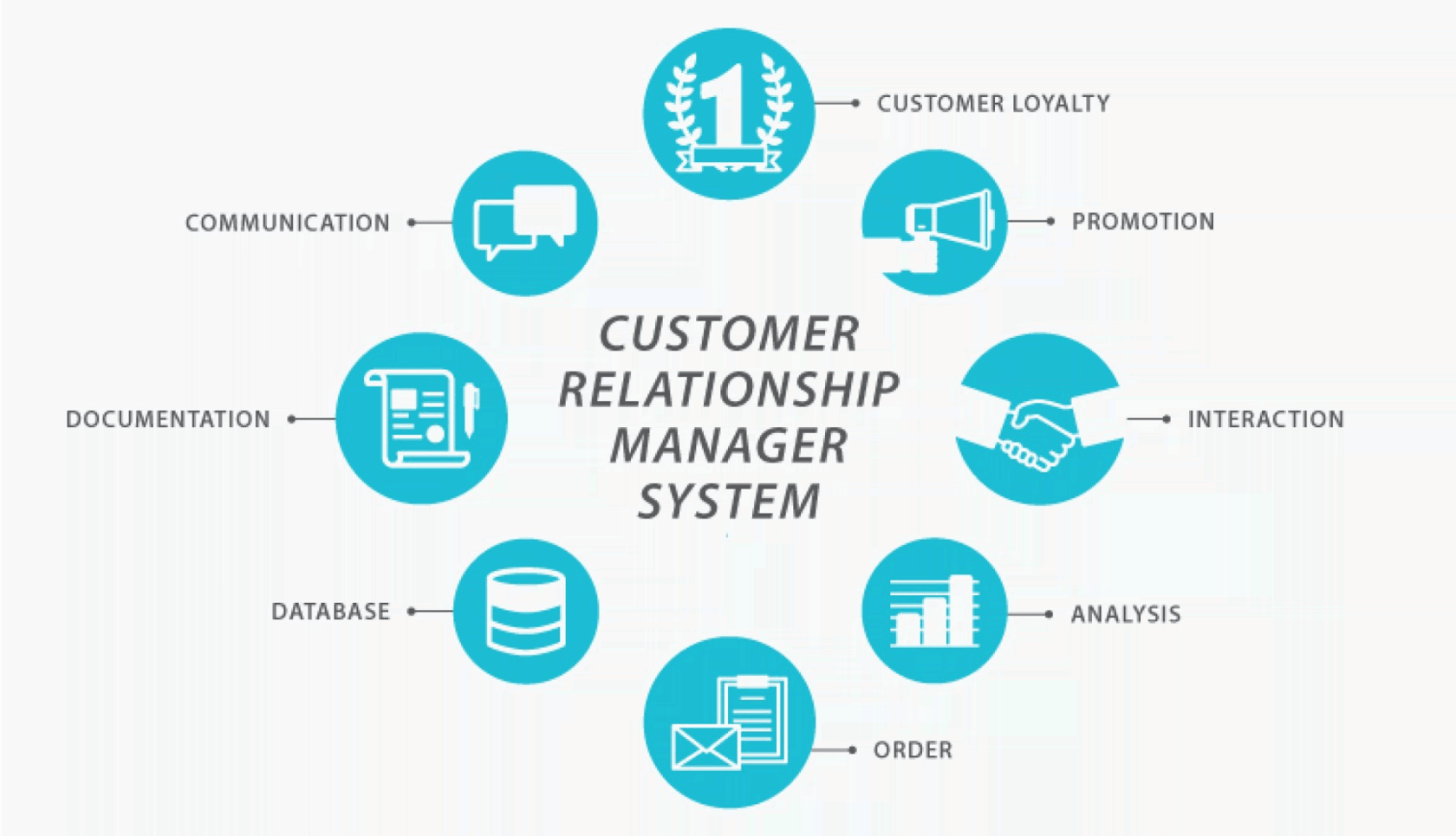
A personal CRM (Customer Relationship Management) system designed as an AI agent would be a highly intelligent, autonomous, and personalized tool to manage relationships, streamline communication, and enhance productivity for individuals. Unlike traditional CRMs focused on businesses, a personal CRM would cater to individual users—professionals, freelancers, entrepreneurs, or even socially active individuals—helping them maintain and leverage their personal and professional networks.
What Would a Personal CRM as an AI Agent Look Like? Possible Features
A personal CRM AI agent would act as a proactive digital assistant, managing relationships with minimal user input while providing actionable insights and automation. Here are its potential features, grouped by functionality:
1. Contact Management and Data Enrichment
Automatic Contact Aggregation: Pulls contacts from email (e.g., Gmail, Outlook), social media (LinkedIn, Twitter/X, Instagram), messaging apps (WhatsApp, iMessage), and calendars, creating a unified database.
Data Enrichment: Uses AI to fetch and update contact details like job titles, company affiliations, social profiles, and recent activities from public sources (e.g., LinkedIn, company websites). For example, it could note when a contact changes jobs.
Relationship Timeline: Maintains a chronological record of interactions (calls, emails, meetings) with summaries generated via natural language processing (NLP).
Smart Tagging and Segmentation: Automatically categorizes contacts (e.g., “close friends,” “business prospects,” “mentors”) based on interaction patterns, shared interests, or user-defined criteria.
2. Communication Automation
Personalized Email Drafting: Crafts tailored emails or messages based on past interactions, tone preferences, and context (e.g., follow-ups, birthday wishes, or meeting confirmations).
Smart Scheduling: Coordinates meetings by analyzing calendars, suggesting optimal times, and sending invites, with NLP to handle back-and-forth communication.
Priority Inbox Management: Flags high-priority emails or messages based on contact importance or urgency, with AI-generated response suggestions.
Multi-Channel Engagement: Interacts across email, SMS, WhatsApp, or social platforms, maintaining consistent tone and context.
3. Relationship Insights and Nurturing
Sentiment Analysis: Analyzes communication tone (e.g., positive, neutral, negative) to gauge relationship health and suggest appropriate responses.
Churn Prediction: Identifies contacts at risk of drifting away (e.g., reduced interaction frequency) and suggests re-engagement strategies like personalized messages or meetup prompts.
Opportunity Detection: Spots networking opportunities, such as suggesting introductions between contacts with shared interests or alerting users to relevant events based on contact profiles.
Proactive Reminders: Prompts users to follow up with contacts based on interaction history, important dates (e.g., birthdays, anniversaries), or milestones (e.g., work anniversaries).
4. Predictive Analytics and Personalization
Behavioral Forecasting: Predicts contact behavior (e.g., likelihood to respond, interest in a proposal) using historical data and machine learning.
Personalized Recommendations: Suggests tailored actions, such as gift ideas, articles to share, or conversation topics based on contact preferences and recent activities.
Lead Scoring for Professionals: For users like freelancers or salespeople, scores contacts based on potential business value, prioritizing outreach efforts.
5. Task Automation
Routine Task Handling: Automates repetitive tasks like logging interactions, updating contact details, or sending follow-up messages.
Integration with Productivity Tools: Syncs with tools like Notion, Trello, or Google Workspace to manage tasks, notes, or projects tied to specific contacts.
Voice Interaction: Allows hands-free operation via voice commands to log notes, check schedules, or dictate messages (e.g., “Log my call with Sarah”).
6. Privacy and Customization
Data Privacy Controls: Ensures compliance with GDPR, CCPA, and other regulations, with user-defined permissions for data access and storage.
Customizable Workflows: Lets users define rules for automation (e.g., “Send a thank-you note after every meeting”) or tailor the AI’s tone to match their personality.
Secure Architecture: Uses encryption and secure APIs to protect sensitive contact data, especially in regulated industries.
7. Conversational and Contextual Intelligence
Chatbot Interface: Provides a conversational UI (text or voice) to query the CRM (e.g., “Who haven’t I spoken to in 3 months?”) and receive natural language responses.
Context-Aware Assistance: Understands context from ongoing conversations or recent interactions to provide relevant suggestions (e.g., “You mentioned a project with John—want to schedule a follow-up?”).
Multilingual Support: Communicates in multiple languages to accommodate global networks.
8. Analytics and Reporting
Relationship Health Dashboards: Visualizes network strength, interaction frequency, and engagement trends via charts or heatmaps.
Custom Reports: Generates reports on networking ROI, such as successful introductions or business opportunities from contacts.
Trend Analysis: Identifies patterns, like which types of interactions (e.g., in-person vs. email) yield better relationship outcomes.
Possible Underlying Architectures
The architecture of a personal CRM AI agent would need to support real-time data processing, scalability, privacy, and seamless integration with external systems. Here are the key components and possible architectural approaches:
1. Core Components
Data Layer:
Database: A combination of relational (e.g., PostgreSQL) and NoSQL (e.g., MongoDB) databases to store structured contact data and unstructured interaction logs. Graph databases (e.g., Neo4j) could map relationships between contacts for network analysis.
Data Sources: APIs for email (Google API, Microsoft Graph), social media (LinkedIn API, Twitter/X API), and calendars, plus web scraping for enrichment.
AI/ML Layer:
NLP Models: For sentiment analysis, email drafting, and chatbot interactions (e.g., BERT, GPT-based models, or custom fine-tuned models).
Predictive Models: Machine learning algorithms (e.g., Random Forests, LSTMs) for behavior forecasting, lead scoring, and churn prediction.
Generative AI: For content creation (e.g., emails, recommendations) using models like Llama or proprietary LLMs.
Automation Layer:
Workflow Engine: Tools like Apache Airflow or low-code platforms (e.g., Zapier-like functionality) to automate tasks and workflows.
Agentic AI Framework: Multi-agent systems (e.g., CrewAI, LangChain) where specialized agents (e.g., email agent, scheduling agent) collaborate to achieve goals.
Integration Layer:
APIs and Middleware: RESTful APIs or GraphQL for connecting to external tools (e.g., Slack, WhatsApp, Zoom). MuleSoft or similar for enterprise-grade integration.
User Interface:
Frontend: Web and mobile apps built with React, Flutter, or similar, offering dashboards, chat interfaces, and voice interaction.
Conversational UI: Powered by frameworks like Rasa or Dialogflow for natural language interactions.
2. Architectural Patterns
Microservices Architecture:
Breaks the system into independent services (e.g., contact management, email automation, analytics) for scalability and fault tolerance. Deployed on cloud platforms like AWS, Azure, or GCP.
Uses Kubernetes for orchestration and service discovery.
Event-Driven Architecture:
Processes real-time events (e.g., new email, calendar update) using message queues (e.g., Kafka, RabbitMQ) to trigger actions like data updates or notifications.
Ideal for handling high-frequency interactions across multiple channels.
Serverless Architecture:
Uses serverless functions (e.g., AWS Lambda, Google Cloud Functions) for lightweight tasks like email drafting or data enrichment, reducing costs for sporadic workloads.
Combines with API gateways for secure external access.
Agentic AI Architecture:
Employs a multi-agent system where each agent specializes in a task (e.g., contact enrichment, scheduling, sentiment analysis). Agents communicate via a central hub, using frameworks like LangChain or AutoGen.
Supports autonomous decision-making and task delegation.
Hybrid Cloud/Edge Architecture:
Stores sensitive data on private clouds or on-device (for privacy-conscious users) while leveraging public clouds for compute-intensive tasks like AI training.
Edge computing for real-time voice or mobile interactions.
3. Security and Compliance
Encryption: End-to-end encryption for data in transit and at rest, using standards like AES-256.
Access Control: Role-based access control (RBAC) and OAuth for secure API integrations.
Compliance: Adheres to GDPR, CCPA, and HIPAA (if health data is involved) with audit trails and data anonymization.
Which AI Company Is Best Positioned to Build It? Why?
Several AI companies are well-equipped to develop a personal CRM AI agent, but Salesforce stands out as the best-positioned for the following reasons:
Why Salesforce?
Existing AI-Powered CRM Expertise:
Salesforce’s Einstein AI and Agentforce platforms already integrate generative, predictive, and agentic AI into CRM systems, offering features like personalized content creation, lead scoring, and autonomous task execution. These can be adapted for personal use.
Their experience with enterprise CRMs provides a robust foundation for scaling down to individual users while maintaining enterprise-grade security and integrations.
Agentforce Platform:
Agentforce enables customizable, autonomous AI agents that operate across channels (e.g., email, WhatsApp, Slack) and integrate with CRM data. This aligns perfectly with a personal CRM’s need for multi-channel engagement and automation.
Low-code Agent Builder allows rapid development of tailored agents, reducing time-to-market for a personal CRM.
Data Cloud and Integration Capabilities:
Salesforce’s Data Cloud unifies data from multiple sources, ideal for aggregating personal contact data from emails, social media, and calendars.
MuleSoft’s integration platform ensures seamless connectivity with external tools, a key requirement for a personal CRM.
Scalability and Infrastructure:
Salesforce’s cloud infrastructure (built on AWS) supports scalable, secure, and high-performance applications, suitable for handling millions of users’ data and interactions.
Market Reach and Trust:
As a CRM market leader, Salesforce has the brand trust and resources to market a personal CRM effectively, ensuring user adoption.
Focus on Personalization:
Salesforce’s AI tools emphasize hyper-personalized experiences, which are critical for a personal CRM catering to individual relationship management.
Top Candidate AI Companies
Other strong contenders include:
HubSpot:
Strengths: Offers AI-powered CRM features like Breeze Copilot and Breeze Agents, which automate prospecting, content creation, and task management. HubSpot’s free tier and user-friendly interface make it ideal for individual users.
Why Suitable: Strong focus on inbound marketing and small business CRMs, with integrations for email, social media, and analytics. Their AI tools are already tailored for personalization and automation.
Weakness: Less advanced in agentic AI compared to Salesforce, with a focus on simpler automation tasks.
Zoho:
Strengths: Zoho CRM’s Zia AI provides predictive analytics, automation, and voice interaction, suitable for a personal CRM. Zoho’s ecosystem includes productivity tools (e.g., Zoho Mail, Calendar), enabling tight integration.
Why Suitable: Affordable pricing and customization options appeal to freelancers and individuals. Zia’s conversational AI could power a personal CRM’s chatbot interface.
Weakness: Limited scalability for complex agentic workflows compared to Salesforce.
Microsoft (Dynamics 365):
Strengths: Integrates AI via Copilot and Azure AI, with strong NLP and predictive analytics. Deep integration with Microsoft 365 (Outlook, Teams) makes it ideal for personal contact management.
Why Suitable: Leverages Azure’s cloud infrastructure and AI models for scalability and performance. Familiar ecosystem for Windows users.
Weakness: Primarily enterprise-focused, with less emphasis on individual user needs.
OpenAI:
Strengths: Advanced generative AI models (e.g., GPT-4) excel at NLP tasks like email drafting and sentiment analysis. Partnerships with platforms like Microsoft enhance integration potential.
Why Suitable: Could build a highly conversational and intelligent personal CRM, especially for content generation and chatbot interfaces.
Weakness: Lacks CRM-specific expertise and infrastructure compared to Salesforce or HubSpot.
Are Similar Things Already Built? Which Are They?
While no product perfectly matches the vision of a fully autonomous, AI-agent-driven personal CRM, several tools and platforms offer similar functionalities, primarily for professional or small business use. Here are the closest examples:
HubSpot CRM (Free Tier):
Features: Contact management, email tracking, lead scoring, and AI-powered content creation via Breeze Copilot. Integrates with Gmail, Outlook, and social media.
Similarity: Automates tasks and provides insights for small teams or individuals, but lacks advanced agentic AI for autonomous relationship nurturing.
Best For: Freelancers and small business owners.
Salesforce Einstein:
Features: AI-driven lead scoring, predictive analytics, and personalized content creation. Agentforce adds autonomous agents for sales and service tasks.
Similarity: Offers enterprise-grade CRM features that could be adapted for personal use, with strong automation and integration capabilities.
Best For: Professionals needing robust, scalable solutions, though overkill for casual users.
Pipedrive AI CRM (Upcoming):
Features: Promises a network of AI agents for sales automation, email drafting, and task prioritization. Includes a Knowledge Base agent for instant answers.
Similarity: Focuses on sales but includes personal assistant-like features, with a user-friendly interface for individuals.
Best For: Sales professionals and entrepreneurs.
Zoho CRM with Zia:
Features: Zia AI offers predictive analytics, automation, and voice interaction. Supports contact management, email automation, and cross-selling recommendations.
Similarity: Highly customizable and affordable, with features suitable for personal relationship management.
Best For: Budget-conscious users needing flexibility.
Monica:
Features: An AI-powered personal assistant that integrates with email, calendars, and social media to manage tasks, schedule meetings, and draft messages. Offers a conversational interface.
Similarity: Acts as a personal productivity tool with CRM-like features, such as contact tracking and follow-up reminders.
Best For: Individuals seeking a lightweight, all-in-one assistant.
Dex:
Features: A personal CRM focused on relationship management, with reminders to follow up, contact tagging, and integration with LinkedIn and email. Limited AI but strong on manual organization.
Similarity: Designed specifically for personal networking, though it lacks advanced AI automation.
Best For: Professionals focused on manual relationship tracking.
Clay:
Features: Combines CRM with AI-driven outreach, enriching contact data and automating personalized emails. Focuses on sales and networking.
Similarity: Offers data enrichment and automation for personal outreach, though more sales-oriented.
Best For: Sales professionals -targeting individuals and small businesses.
Critical Analysis and Considerations
While these tools offer valuable features, none fully realize the vision of a fully autonomous, agentic personal CRM that operates as a proactive, multi-agent system across all aspects of relationship management. Key gaps include:
Autonomy: Most tools require significant user input, lacking the agentic AI needed for proactive task execution.
Personalization: Few offer the level of hyper-personalization needed for individual relationship management.
Integration: Some lack seamless integration across all communication channels (e.g., SMS, WhatsApp, social media).
Scalability: Solutions like Dex or Monica are lightweight but may not scale for users with extensive networks.
Salesforce’s Agentforce and HubSpot’s Breeze Agents come closest to the vision, but they are primarily business-focused. A dedicated personal CRM would need to simplify these platforms’ complexity while retaining their AI capabilities, tailored to individual workflows.
Conclusion
A personal CRM as an AI agent would be a game-changer for managing relationships, combining automation, predictive analytics, and personalized engagement in a user-friendly package. Salesforce is best positioned to build it, thanks to its Agentforce platform, Data Cloud, and CRM expertise, followed closely by HubSpot, Zoho, and Microsoft. Existing tools like HubSpot CRM, Pipedrive, Zoho CRM, Monica, Dex, and Clay offer partial solutions, but a fully realized personal CRM with agentic AI remains an untapped opportunity. To succeed, it must prioritize ease of use, privacy, and seamless integration while leveraging advanced AI to act as a true digital teammate.